
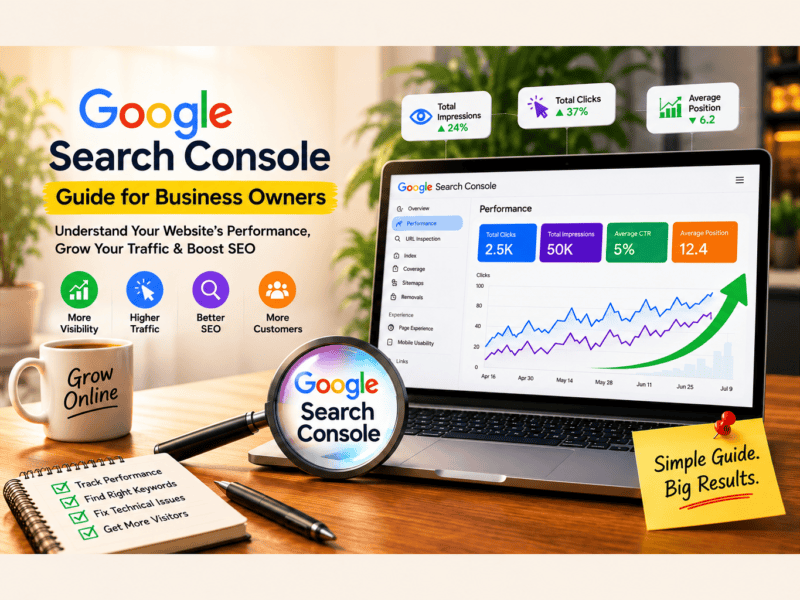
Google Search Console for Business Owners is a practical way to understand how your website performs in Google Search. It helps you see which keywords bring visitors, which pages generate clicks, and whether Google is properly crawling and indexing your website.
If you own a business website, you probably want to know one thing: Is Google actually bringing people to my website?
Google Search Console (GSC) is one of the most useful free tools for answering that question. It helps business owners understand how their website appears in Google Search, which keywords bring visitors, which pages perform best, and whether Google is experiencing problems crawling or indexing the site.
The best part? You don’t need to be an SEO expert to use it.
In this guide, we’ll explain Google Search Console in simple terms and show you how business owners can use it to improve their website’s visibility, traffic, and SEO performance.
Why Google Search Console Guide for Business Owners Matters?
A Google Search Console Guide for Business Owners can help you understand how potential customers discover your website through Google Search. Instead of guessing which keywords are working, you can use real search data to identify opportunities and improve your SEO strategy.
Google Search Console is a free Google tool that helps website owners monitor and troubleshoot their website’s presence in Google Search.
It provides information about:
- How many people see your website in Google
- How many people click your website
- Which search queries bring visitors
- Which pages receive the most traffic
- Your average Google Search position
- Whether Google has indexed your pages
- Technical issues affecting your website
- Mobile usability and website experience
- Links pointing to your website
Think of Google Search Console as a direct communication channel between your website and Google Search.
Why Should Business Owners Use Google Search Console?
Whether you run a local business, eCommerce store, service company, startup, or B2B business, GSC can provide valuable SEO insights.
1. Understand How Customers Find You
GSC shows the search terms people use before clicking your website.
For example, a website development company in Pune might discover that people are finding its website through searches such as:
- Website development company in Pune
- WordPress development company Pune
- Website development services
- Best web development company near me
This information can help you understand what your potential customers are actually searching for.
2. Track Your Website’s Google Performance
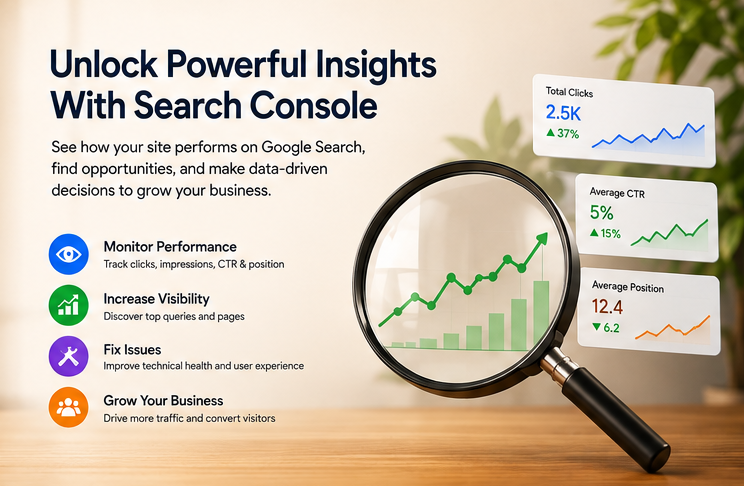
The Performance report shows four important metrics:
Total Clicks: How many times users clicked your website from Google Search.
Total Impressions: How many times your website appeared in search results.
Average CTR: The percentage of impressions that resulted in clicks.
Average Position: The average position of your website for the searches it appeared for.
For example:
| Metric | Example |
|---|---|
| Impressions | 50,000 |
| Clicks | 2,500 |
| CTR | 5% |
| Average Position | 12.4 |
These numbers help you understand whether your SEO strategy is actually generating visibility and traffic.
How to Access Google Search Console
To start using GSC:
- Sign in with your Google account.
- Open Google Search Console.
- Add your website as a property.
- Choose a verification method.
- Verify ownership.
- Submit your XML sitemap.
- Start monitoring your website’s performance.
For most businesses, using a Domain property is recommended because it can cover different versions of your website, including HTTP, HTTPS, www, and non-www variations.
The Most Important Google Search Console Reports
You don’t need to use every report every day. Business owners should focus on a few key areas.
1. Performance Report
This is one of the most important sections of GSC.
You can analyze your:
- Search queries
- Pages
- Countries
- Devices
- Search appearance
- Clicks
- Impressions
- CTR
- Average position
You can also compare different time periods to identify growth or decline.
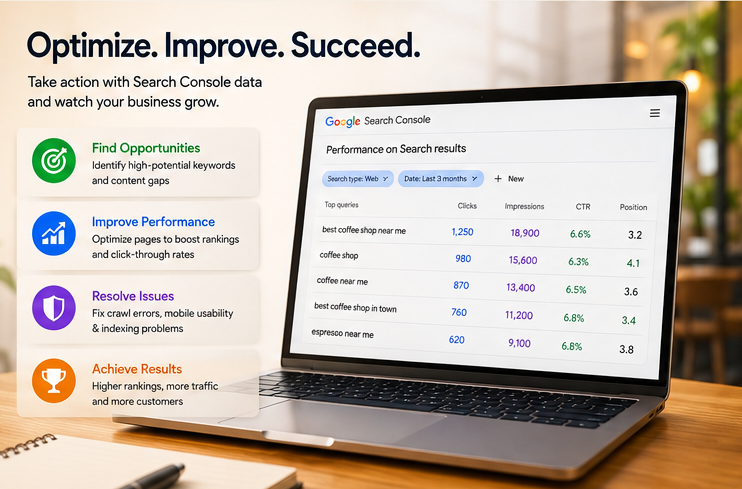
2. Search Queries
The Queries section tells you what people searched for when your website appeared in Google.
Look for keywords that have:
- High impressions
- Low clicks
- Average positions between 5–20
These can represent excellent SEO opportunities.
For example, if a page gets 10,000 impressions for a keyword but only 150 clicks, improving the page title and meta description could potentially increase CTR.
3. Pages
The Pages report shows which URLs generate the most clicks and impressions.
You may discover that:
- One service page gets most of your organic traffic
- A blog post is attracting visitors
- An important product page isn’t getting impressions
- Some pages receive impressions but almost no clicks
This information can help you decide which pages deserve more SEO attention.
4. Indexing
The Indexing report helps you understand whether Google can find and index your website pages.
You may see statuses such as:
- Indexed
- Not indexed
- Crawled – currently not indexed
- Discovered – currently not indexed
- Blocked by robots.txt
- Excluded by noindex
Not every non-indexed URL is a problem. Some pages, such as duplicate or intentionally excluded pages, shouldn’t necessarily be indexed.
The goal is to make sure your important business pages are indexed.
How to Check If a Page Is Indexed
GSC includes the URL Inspection tool.
Enter a page URL into the inspection bar and Google can show information about that URL, including whether it is indexed.
If an important page isn’t indexed, you can investigate the reason and, when appropriate, request indexing.
However, requesting indexing doesn’t guarantee that Google will index the page.
5. Sitemap
An XML sitemap helps search engines discover important URLs on your website.
For a typical WordPress website, your sitemap may be automatically generated by an SEO plugin such as Rank Math or Yoast SEO.
After creating your sitemap, submit it through:
Google Search Console → Sitemaps
You usually only need to submit the sitemap URL once. After that, Google can periodically revisit it.
6. Core Web Vitals
Core Web Vitals measure important aspects of page experience.
The key metrics include:
- LCP: Loading performance
- INP: Responsiveness
- CLS: Visual stability
Poor website performance can create a frustrating experience for visitors.
Business owners should pay particular attention to important pages such as:
- Homepage
- Service pages
- Product pages
- Landing pages
- Contact pages
A fast, stable website can improve user experience and support your overall SEO strategy.
7. Links Report
The Links report provides information about links connected to your website.
You can see:
- Top linked pages
- Top linking websites
- Internal links
- External links
Internal linking is particularly useful for SEO because it helps users and search engines discover related pages across your website.
For example, a blog about local SEO could internally link to your local SEO service page.
How Business Owners Can Find SEO Opportunities
One of the most useful ways to use GSC is to find pages that are almost performing well.
Look for keywords ranking around positions 5–20.
These keywords are already generating visibility, so improving the relevant page may help push them higher.
Possible improvements include:
- Updating outdated content
- Improving search intent alignment
- Adding useful information
- Improving headings
- Adding internal links
- Improving title tags
- Improving meta descriptions
- Adding relevant FAQs
- Improving page experience
- Building quality backlinks
Instead of creating hundreds of new pages, sometimes improving existing pages can produce better results.
How to Improve Your Click-Through Rate
Suppose your website receives 20,000 impressions but only 500 clicks.
That means there may be an opportunity to improve your CTR.
Your title and meta description should clearly communicate:
What is the page about?
Why should the user click it?
For example:
Weak title:
Website Development Services
More compelling title:
Website Development Company in Pune | Custom & WordPress Websites
The second version provides more context and targets a specific search intent.
However, avoid misleading titles or keyword stuffing. Your title should accurately represent the page.
Common Google Search Console Mistakes
Mistake 1: Checking rankings every day
SEO performance naturally fluctuates.
Instead of worrying about daily changes, analyze trends over weeks and months.
Mistake 2: Focusing only on clicks
Clicks are important, but impressions and CTR also provide valuable information.
A page with growing impressions but low CTR may need better search-result messaging.
Mistake 3: Trying to fix every “Not Indexed” URL
Not every excluded URL needs to be indexed.
Focus on your important business and content pages.
Mistake 4: Ignoring high-impression keywords
A keyword generating thousands of impressions but few clicks could represent a significant optimization opportunity.
Mistake 5: Looking only at average position
Average position is useful, but it doesn’t tell the complete story.
Always analyze it alongside clicks, impressions, CTR, queries, and landing pages.
How Often Should Business Owners Check GSC?
You don’t need to open Google Search Console every day.
A simple schedule is enough:
Weekly:
Check major traffic changes, indexing issues, and important pages.
Monthly:
Analyze keywords, CTR, impressions, top-performing pages, and SEO opportunities.
Quarterly:
Compare performance over longer periods and review your overall SEO strategy.
If you’re actively running an SEO campaign, more frequent monitoring can be useful.
Google Search Console vs Google Analytics
These two tools work together but answer different questions.
| Tool | Main Purpose |
|---|---|
| Google Search Console | Understand Google Search performance |
| Google Analytics | Understand what visitors do on your website |
Google Search Console asks:
How are people finding my website through Google?
Google Analytics asks:
What do people do after they arrive?
Using both gives you a more complete picture of your digital marketing performance.
A Simple GSC Routine for Business Owners
You can follow this monthly process:
Step 1: Check Performance
Review clicks, impressions, CTR, and average position.
Step 2: Find Growing Keywords
Identify queries where impressions and clicks are increasing.
Step 3: Find Opportunities
Look for keywords ranking between positions 5–20.
Step 4: Review Important Pages
Check whether your major service, product, and landing pages are receiving impressions and clicks.
Step 5: Check Indexing
Make sure important pages aren’t accidentally excluded from Google’s index.
Step 6: Review Core Web Vitals
Look for pages with performance or usability problems.
Step 7: Improve and Monitor
Make SEO improvements and compare results over time.
Final Thoughts
Google Search Console Guide for Business OwnersGuide for Business Owners isn’t just use an SEO tool for agencies and technical professionals. It’s a valuable business intelligence tool for anyone who depends on Google to generate website traffic and leads.
For Google Search Console for Business Owners, the biggest value isn’t simply monitoring numbers. It’s using those numbers to make better decisions about your website, content, and SEO strategy.
By regularly monitoring search queries, impressions, clicks, CTR, rankings, indexing, and page performance, business owners can identify opportunities that might otherwise go unnoticed.
The key isn’t simply to collect data.
Use that data to make better decisions about your website and SEO strategy.
If your website is already receiving impressions in Google, there may be opportunities to turn that existing visibility into more clicks, leads, and customers.
How The Vanilla Theory Can Help You Turn Search Data Into Business Growth
Google Search Console gives you the data, but knowing what to do with that data is where an experienced SEO strategy makes a difference.
At The Vanilla Theory, we help businesses use SEO data to identify opportunities, improve website visibility, and attract more relevant customers through organic search.
Our approach can include:
- Google Search Console analysis to identify keyword and traffic opportunities
- Technical SEO to identify crawling, indexing, speed, and website issues
- Keyword research to discover high-value search terms relevant to your business
- On-page SEO to optimize titles, headings, content, internal links, and landing pages
- Local SEO to improve visibility for location-based searches
- Content strategy to create useful pages and blogs based on real search intent
- SEO performance tracking to measure clicks, impressions, rankings, and conversions over time
Ready to Improve Your Google Visibility?
If you’re getting impressions but not enough clicks, ranking on the second page, or unsure why your website isn’t generating enough organic traffic, The Vanilla Theory can help you identify the opportunities and build a strategy around them.
Turn your Google Search data into actionable SEO growth.
Frequently Asked Questions
Is Google Search Console free?
Yes. Google Search Console is a free tool provided by Google.
Does Google Search Console show all my website traffic?
No. It primarily shows performance from Google Search. Website traffic from sources such as social media, direct visits, referral websites, and other search engines is not represented in the same way.
How long does it take for data to appear in GSC?
There can be a delay between when Google records activity and when the data becomes available in Search Console.
Can Google Search Console improve my rankings automatically?
No. GSC provides data and diagnostic tools. You need to use those insights to improve your website and SEO strategy.
Should every page on my website be indexed?
No. Some pages may intentionally be excluded from search engines. Focus on making your valuable, relevant business and content pages accessible and indexable.
Is Google Search Console enough for SEO?
GSC is an important SEO tool, but a complete SEO strategy may also involve analytics, keyword research, technical audits, content optimization, competitor research, and backlink analysis.


