
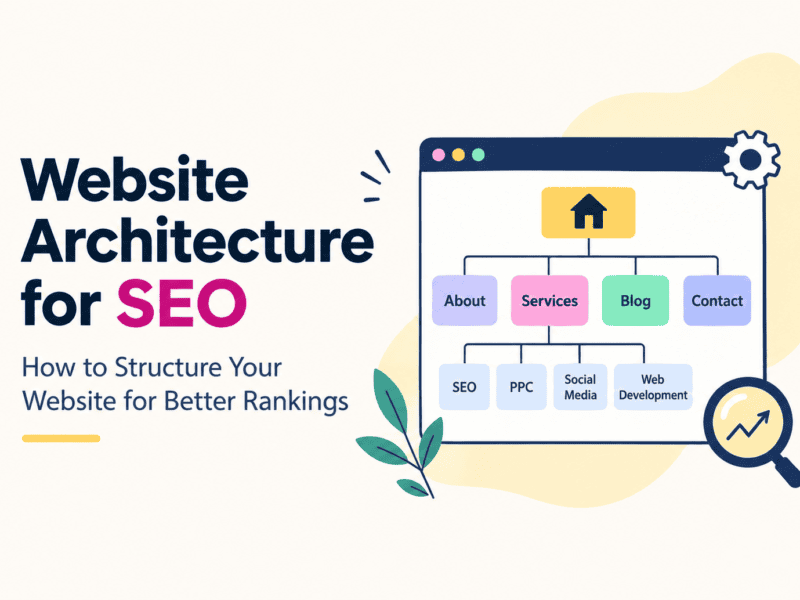
Website architecture for SEO is an important part of building a search-friendly website. A well-structured website helps users navigate your content easily while helping search engines understand, crawl, and index your pages.
A well-designed website is not only about how it looks. Behind every successful website is a clear structure that helps users find information easily and helps search engines understand the relationship between your pages.
This structure is known as website architecture.
A strong website architecture can improve crawling, indexing, internal linking, user experience, and the overall discoverability of your important pages in search engines. On the other hand, a poorly structured website can make important pages difficult to find, create unnecessary duplicate URLs, and weaken the connection between related content.
In this guide, we’ll explain what website architecture is, why it matters for SEO, and how to structure your website for better rankings.
What Is Website Architecture?
Website architecture refers to the way your website’s pages are organized, connected, and structured.
Think of your website as a building. Your homepage is the main entrance, categories are different sections of the building, and individual pages are the rooms.
For example, a digital marketing agency website could have an architecture like:
Homepage → Services → SEO Services → Local SEO Services
or:
Homepage → Blog → SEO → Website Architecture Guide
A good architecture creates a logical path between these pages.
It should allow both visitors and search engine crawlers to move through your website without confusion.
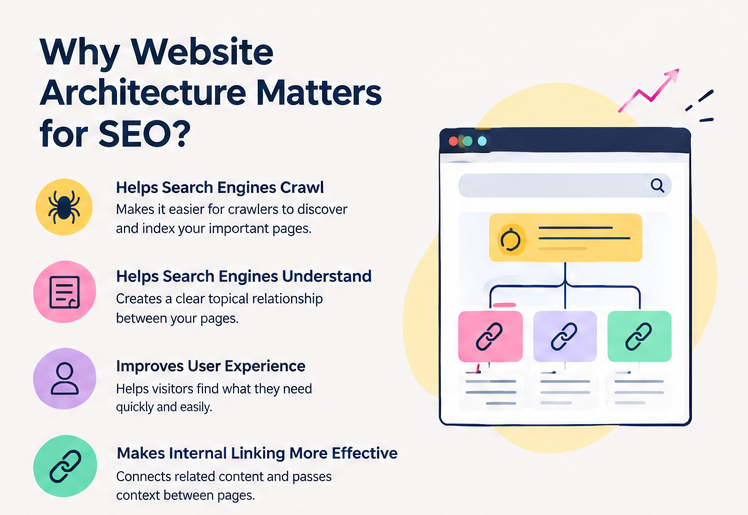
Why Is Website Architecture Important for SEO?
Website architecture affects several important aspects of SEO.
1. Helps Search Engines Crawl Your Website
Search engines use crawlers to discover and understand website pages.
A logical structure with clear navigation and internal links makes it easier for crawlers to discover important pages.
If an important page is buried deep within your website and has few or no internal links pointing to it, search engines may have more difficulty discovering its importance.
2. Helps Search Engines Understand Your Content
Your website structure provides context.
For example, imagine you have:
- SEO Services
- Local SEO
- Technical SEO
- SEO Audit Services
- SEO Blog
When these pages are properly connected, search engines can better understand that they belong to the broader SEO topic.
This creates a clear topical relationship between pages.
3. Improves User Experience
SEO isn’t only about search engines.
Visitors should be able to understand your website quickly and find what they’re looking for without repeatedly clicking the back button.
A clear structure helps users navigate from broad information to more specific information.
For example:
Services → SEO → Local SEO → Google Business Profile Optimization
is much easier to understand than a website where these pages are disconnected.
4. Makes Internal Linking More Effective
Internal links connect one page on your website to another page on the same website.
They help users discover related content and provide search engines with additional context about your pages.
For example, a blog about local SEO could link to your Local SEO Services page.
Similarly, an article about technical SEO could link to your SEO services page.
This creates a connected content ecosystem instead of a collection of isolated pages.
What Does a Good SEO Website Structure Look Like?
For most websites, a simple hierarchical structure works well.
A basic structure could look like this:
Homepage
│
├── About
│
├── Services
│   ├── SEO
│   ├── PPC
│   ├── Social Media Marketing
│   └── Website Development
│
├── Industries
│   ├── Healthcare
│   ├── Real Estate
│   └── E-commerce
│
├── Blog
│   ├── SEO
│   ├── Website Development
│   └── Digital Marketing
│
└── Contact
This structure creates clear relationships between different sections of the website.
However, the ideal architecture depends on the size and purpose of your website.
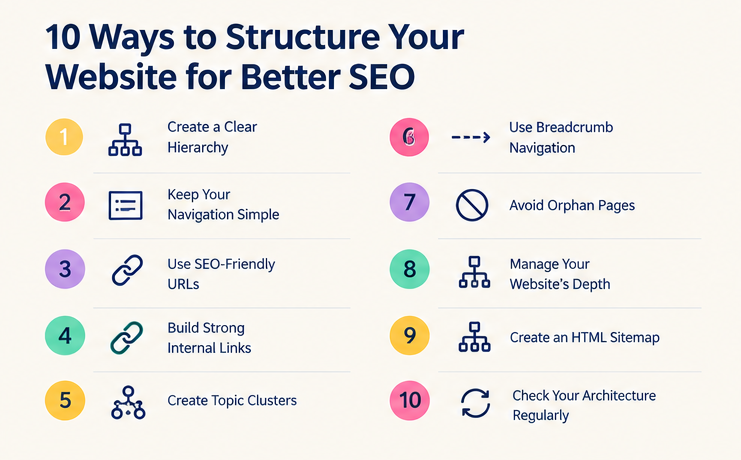
10 Ways to Structure Your Website for Better SEO
1. Create a Clear Hierarchy
Start by organizing your website into logical levels.
For example:
Homepage → Category → Subcategory → Individual Page
For an e-commerce website:
Homepage → Men’s Clothing → Shirts → Formal Shirts
For a service website:
Homepage → Digital Marketing → SEO → Local SEO
Avoid creating unnecessary levels.
Your goal should be to keep important pages reasonably easy to reach from your main navigation and internal links.
2. Keep Your Navigation Simple
Your primary navigation should contain the most important sections of your website.
For example:
Home | About | Services | Blog | Contact
Depending on the website, you can use dropdown menus to organize service or product categories.
Avoid creating navigation menus with dozens of links simply because every page needs to be accessible from the header.
Instead, prioritize your most important pages.
3. Use SEO-Friendly URL Structures
Your URLs should be simple, descriptive, and easy to understand.
For example:
Good:
example.com/seo-services/
Better for a related subtopic:
example.com/seo-services/local-seo/
Avoid URLs such as:
example.com/page?id=12345
or unnecessarily complicated URLs containing multiple parameters and irrelevant words.
A clean URL structure helps users understand what a page is about before they open it.
4. Build Strong Internal Links
Internal linking is one of the most important parts of website architecture.
Whenever you publish a new article or page, look for relevant existing pages that can be connected to it.
For example, an article titled:
“How to Improve Your Google Rankings”
could link to:
- SEO Services
- Technical SEO
- Local SEO
- SEO Audit
- Related SEO articles
At the same time, your important service pages should receive relevant internal links from your blog content.
This creates a stronger connection between your content.
5. Create Topic Clusters
Instead of publishing unrelated blog posts, organize your content around important topics.
For example, if your primary topic is SEO, you could create a pillar page:
SEO Guide
and supporting articles such as:
- Technical SEO Guide
- Local SEO Guide
- Keyword Research Guide
- Internal Linking Guide
- Website Architecture for SEO
- Google Search Console Guide
- SEO Audit Checklist
These supporting articles can link back to the main SEO guide and to one another where relevant.
This approach creates a clear topical structure.
6. Use Breadcrumb Navigation
Breadcrumbs show users where they are within your website.
For example:
Home → Blog → SEO → Website Architecture for SEO
Breadcrumbs can make navigation easier, particularly on websites with many pages.
They can also provide search engines with additional information about the relationship between pages.
7. Avoid Orphan Pages
An orphan page is a page that has no internal links pointing to it from other pages on your website.
For example, you might publish:
example.com/blog/technical-seo-guide/
but never link to it from your homepage, blog category, related articles, or any other page.
The page exists, but it is disconnected from the rest of your website.
Regularly audit your website for orphan pages and add relevant internal links where appropriate.
8. Manage Your Website’s Depth
Website depth refers to how many clicks it takes to reach a page from another important page, particularly the homepage.
For example:
Homepage → Services → SEO → Local SEO
has a relatively straightforward path.
But:
Homepage → Resources → Category → Subcategory → Archive → Article → Related Article → Service
may create unnecessary depth.
Not every page needs to be directly linked from the homepage. However, important pages should not be unnecessarily buried beneath multiple layers of navigation.
9. Create an HTML Sitemap
An HTML sitemap can provide users with another way to navigate your website.
It can be particularly useful for larger websites containing many sections.
For example:
Sitemap
- Services
- Products
- Industries
- Blog Categories
- Important Resources
- Contact
For SEO, your XML sitemap is also important because it helps search engines discover URLs that you want crawled and indexed.
However, an XML sitemap does not replace good internal linking.
10. Check Your Architecture Regularly
Website architecture isn’t something you need to design once and forget.
As your website grows, you may add:
- New services
- New products
- Blog posts
- Landing pages
- Categories
- Location pages
Over time, this can create duplicate pages, broken links, orphan pages, unnecessary categories, or overly complicated navigation.
Regular SEO audits can help identify these issues.
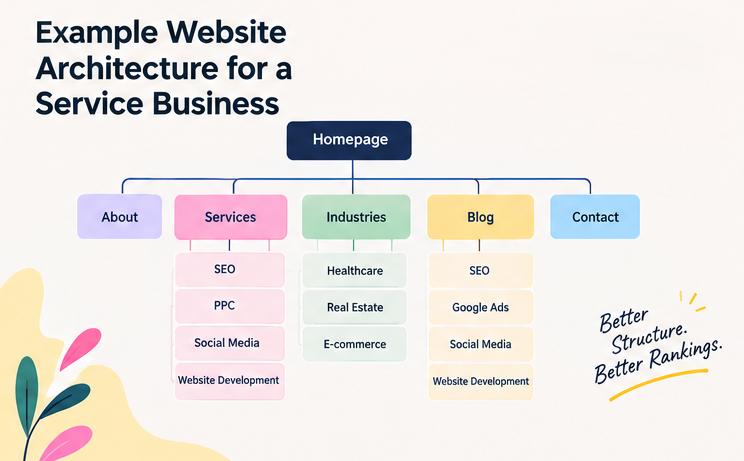
Website Architecture Example for a Service Business
Let’s say you’re building a website for a digital marketing agency.
A possible structure could be:
Homepage
│
├── About
│
├── Services
│   ├── SEO
│   │   ├── Local SEO
│   │   ├── Technical SEO
│   │   └── SEO Audits
│   │
│   ├── Google Ads
│   ├── Social Media Marketing
│   ├── Website Development
│   └── Content Marketing
│
├── Industries
│   ├── Real Estate
│   ├── Healthcare
│   └── E-commerce
│
├── Blog
│   ├── SEO
│   ├── Google Ads
│   ├── Social Media
│   └── Website Development
│
└── Contact
Your blog content can then support your service pages through contextual internal links.
For example:
Blog: “How to Improve Local Search Visibility”
↓ internal link
Local SEO Service
↓ internal link
SEO Services
This creates a logical pathway for both users and search engines.
Common Website Architecture Mistakes
Even websites with good content can have structural problems.
Here are some common mistakes to watch for:
❌ Creating too many categories
Adding a new category for every few articles can make your website unnecessarily complicated.
❌ Important pages with no internal links
If nobody links to an important page, it can become difficult for users and crawlers to discover.
❌ Excessive dropdown menus
Large navigation menus can overwhelm visitors and make your website difficult to use.
❌ Duplicate or competing URLs
Multiple URLs serving very similar content can create unnecessary complexity.
❌ Random URL structures
Changing URL patterns throughout the website can make the architecture harder to understand.
❌ Ignoring mobile navigation
A structure that works well on desktop should also be easy to navigate on mobile devices.
❌ Publishing content without connecting it
Every new article shouldn’t exist as an isolated page. Look for relevant internal linking opportunities.
How to Audit Your Website Architecture
You don’t necessarily need complicated tools to start.
Begin with a simple checklist:
Step 1: Map your important pages
List your:
- Homepage
- Service pages
- Product pages
- Category pages
- Important landing pages
- Blog categories
- High-value blog posts
Step 2: Review your navigation
Ask:
- Can users find the important pages easily?
- Are there unnecessary menu items?
- Are categories logically organized?
Step 3: Check internal links
Identify whether important pages receive relevant internal links.
Step 4: Find orphan pages
Look for pages that aren’t linked from other relevant pages.
Step 5: Review URLs
Check whether URLs are:
- Short
- Descriptive
- Consistent
- Logical
Step 6: Check your sitemap
Make sure important indexable URLs are included appropriately and unwanted URLs aren’t unnecessarily included.
Step 7: Monitor indexing
Use Google Search Console to identify indexing and crawling issues and understand how Google is processing your website.
Website Architecture and SEO: The Bigger Picture
Website architecture isn’t a shortcut to higher rankings.
Instead, it creates a strong foundation that allows your content, internal links, navigation, and technical SEO to work together.
A website can have excellent content, but if that content is difficult to discover or poorly connected, its value may not be fully realized.
The goal should be simple:
Make your website easy to understand, easy to navigate, and easy to crawl.
When your website has a logical structure, users can find information more efficiently and search engines can better understand how your pages relate to each other.
Final Thoughts
A strong SEO strategy starts with a strong website foundation.
Before continuously publishing new content or building backlinks, take a step back and look at how your website is organized.
Make sure your important pages are accessible, your navigation is logical, your URLs are clean, and your related content is connected through meaningful internal links.
Good website architecture doesn’t just organize your website—it creates a clear path between your users, your content, and search engines.
From building SEO-friendly websites to improving search visibility and creating effective digital marketing strategies, we focus on helping businesses connect with the right audience and grow online.
Want to improve your website’s SEO and online visibility? Get in touch with The Vanilla Theory today.


