
WordPress Category and Tag Pages SEO is an important part of optimizing your website structure and improving search engine visibility. Properly optimized category and tag pages help search engines discover relevant content, improve internal linking, and provide a better user experience.
Optimizing WordPress category and tag pages for SEO helps search engines understand your website structure, discover relevant content, and improve the overall user experience.
In this guide, we will explain how to optimize WordPress category and tag pages, avoid common SEO mistakes, and use these pages effectively to improve your website’s search visibility.
What Are WordPress Category and Tag Pages?
Before optimizing these pages, it is important to understand the difference between WordPress categories and tags.
1. WordPress Category Pages
Categories are used to group related blog posts into broader topics. They help organize your website content and make it easier for visitors to find information.
Example:
If you run a digital marketing website, your categories might include:
- Search Engine Optimization (SEO)
- Social Media Marketing
- Website Development
- Digital Marketing
- Google Ads
A category page displays all blog posts assigned to that particular category.
2. WordPress Tag Pages
Tags help describe specific topics or details covered within a blog post. Unlike categories, tags are generally more specific and can connect related articles across different categories.
Example:
For an SEO-related blog, relevant tags could include:
- Keyword Research
- On-Page SEO
- Technical SEO
- Link Building
- Google Search Console
Tag pages automatically collect posts that use the same tag.
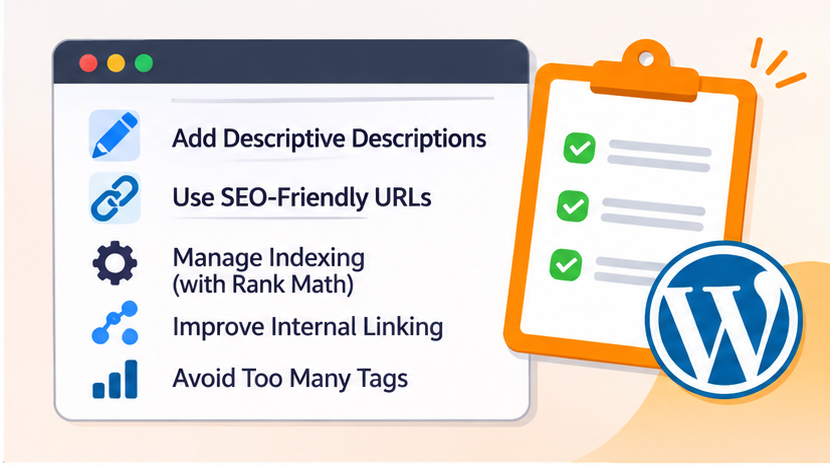
Why Are Category and Tag Pages Important for SEO?
Properly optimized category and tag pages can support your website’s SEO performance in several ways.
1. Improve Website Structure
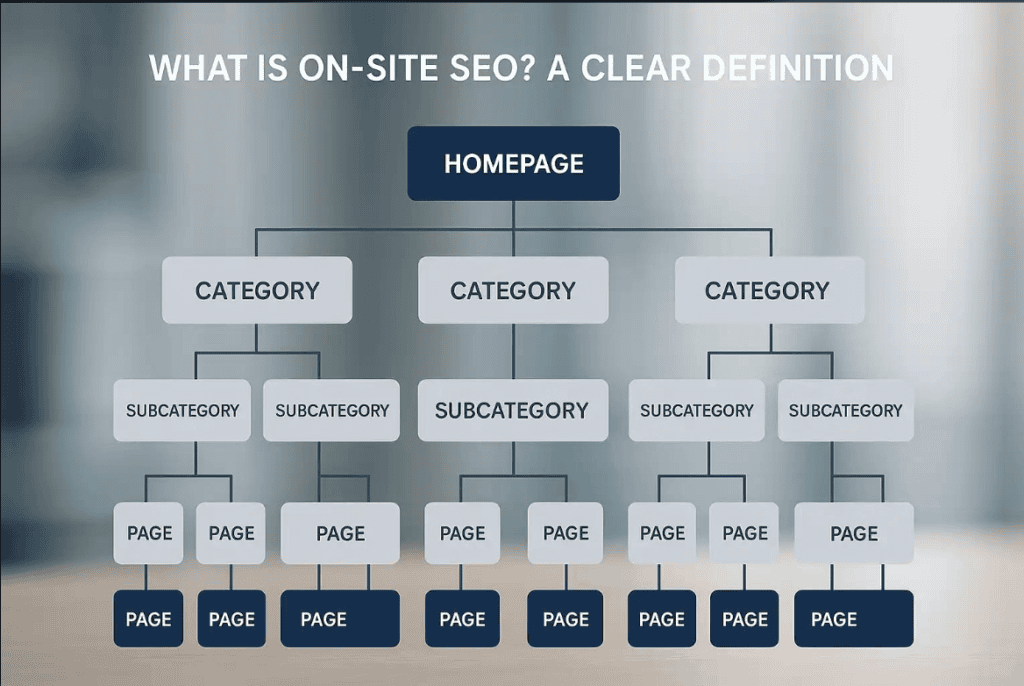
Categories help organize website content into meaningful sections, making it easier for search engines to understand the relationship between different pages.
2. Improve Internal Linking
Category and tag pages create additional pathways for visitors and search engine crawlers to discover relevant blog posts.
3. Enhance User Experience
Visitors can easily explore related articles without manually searching through your entire website.
4. Support Keyword Targeting
Well-optimized category pages can target broader search queries, while carefully selected tag pages may target more specific topics.
5. Improve Content Discovery
A properly structured website helps search engines discover and understand the content available on your website.
How to Optimize WordPress Category and Tag Pages for SEO
Follow these practical steps to improve your WordPress category and tag pages.
1. Create SEO-Friendly Category Names
Start by choosing clear and descriptive category names that accurately represent your website content.
Avoid creating too many categories with similar meanings. Instead, organize your content into relevant topic groups.
Example:
Instead of creating separate categories such as:
- SEO Tips
- SEO Tricks
- SEO Techniques
Use a broader category such as SEO Guides and organize your related articles under it.
Keep category names simple, relevant, and easy to understand.
2. Optimize Category and Tag URLs
WordPress automatically generates URLs for category and tag archive pages.
For example:
- yourwebsite.com/category/seo/
- yourwebsite.com/tag/keyword-research/
Use short, descriptive, and keyword-relevant slugs.
To change a category slug:
- Open your WordPress Dashboard.
- Navigate to Posts → Categories.
- Select the category you want to edit.
- Update the slug.
- Click Update.
For tag URLs:
- Navigate to Posts → Tags.
- Select the required tag.
- Edit the slug.
- Save your changes.
SEO Tip: Avoid changing existing URLs unnecessarily. If you change an indexed URL, implement a relevant 301 redirect to the new URL.
3. Add SEO Titles and Meta Descriptions
SEO titles and meta descriptions help search engines and users understand what your category or tag pages are about.
Write unique titles and descriptions for important archive pages instead of leaving them blank or using automatically generated text.
Example:
Category: SEO Guides
SEO Title: SEO Guides and Tips to Improve Website Rankings | The Vanilla Theory
Meta Description: Explore practical SEO guides and strategies to improve website rankings, increase organic traffic, and strengthen your online visibility with The Vanilla Theory.
Make sure your titles are descriptive and your meta descriptions naturally include relevant keywords.
4. Add Unique Descriptions to Category Pages
One of the most overlooked SEO practices is adding unique descriptions to category pages.
A category page that only displays a list of blog posts may provide limited context to search engines and visitors.
To improve it, add a short introduction explaining what the category covers.
Example:
For an SEO category:
“Explore the latest SEO tips, strategies, and practical guides to improve your website’s search engine rankings. Learn about keyword research, technical SEO, on-page optimization, and link-building techniques to grow your organic traffic.”
You can add category descriptions by navigating to:
WordPress Dashboard → Posts → Categories → Edit Category → Description.
Depending on your WordPress theme, you may need to enable category descriptions in the archive page template to display them on your website.
5. Avoid Creating Too Many Tags
Using too many tags can create unnecessary archive pages with very little content.
For example, creating separate tags such as:
- SEO Strategy
- SEO Strategies
- Best SEO Strategy
- SEO Tips and Tricks
may result in multiple similar archive pages.
Instead, use a consistent tagging strategy and reuse existing tags wherever relevant.
Best Practice:
- Use only relevant tags.
- Avoid duplicate or similar tags.
- Do not create a new tag for every blog post.
- Keep tag names specific and meaningful.
6. Manage Indexing with Rank Math SEO
Not every category and tag page needs to appear in Google search results.
If your archive pages contain useful content and target relevant search queries, indexing them may be beneficial. However, thin or repetitive archive pages may be better excluded from search results.
You can manage these settings using Rank Math SEO.
Steps to manage category indexing:
- Open your WordPress Dashboard.
- Navigate to Rank Math SEO → Titles & Meta.
- Find the Categories section.
- Review the Robots Meta settings.
- Enable or disable indexing based on your SEO strategy.
- Save Changes.
To manage tag indexing:
- Open Rank Math SEO → Titles & Meta.
- Navigate to the Tags section.
- Review the Robots Meta settings.
- Decide whether tag archive pages should be indexed.
- Save your changes.
Important: Do not automatically noindex all category and tag pages. Evaluate their content quality, search intent, usefulness, and potential to attract organic traffic before making indexing decisions.
7. Improve Internal Linking
Internal linking helps search engines discover related content and understand your website’s content structure.
Category pages should provide easy access to relevant articles, while blog posts should link to their relevant category pages and other useful articles.
For example, if you have a blog about keyword research, you can link it to your SEO category and other related articles about on-page SEO and technical SEO.
This creates a well-connected website structure and improves content navigation.
8. Prevent Duplicate and Thin Content Issues
Category and tag pages can sometimes display similar collections of blog posts.
Creating multiple archive pages with overlapping content may reduce their individual usefulness.
To prevent this:
- Avoid creating multiple categories for similar topics.
- Use tags strategically.
- Write unique category descriptions.
- Avoid publishing empty tag archives.
- Noindex low-value archive pages when appropriate.
- Use canonical tags correctly where duplicate or near-duplicate content exists.
Remember, having category and tag pages does not automatically create a duplicate content penalty. The objective is to provide unique value and avoid unnecessary, low-quality pages.
9. Optimize Category and Tag Page Design
SEO is not only about keywords and metadata. User experience also plays an important role.
Make sure your category and tag pages are easy to navigate.
Consider implementing:
- Clear category headings.
- Short introductory descriptions.
- Organized blog post listings.
- Featured images with descriptive alt text.
- Read More links.
- Mobile-friendly layouts.
- Easy navigation and pagination.
A clean layout helps visitors find relevant information and explore more content.
10. Monitor Category and Tag Page Performance
After implementing SEO improvements, regularly monitor your archive pages to understand how they perform.
Use the following tools:
- Check whether category and tag URLs are indexed.
- Monitor impressions and clicks.
- Identify ranking keywords.
- Review indexing and crawling issues.
- Track organic traffic.
- Monitor user engagement.
- Understand which archive pages attract visitors.
- Analyze how users navigate from category pages to blog posts.
Rank Math SEO:
- Review SEO titles and meta descriptions.
- Manage indexing settings.
- Check sitemap configurations.
- Monitor on-page SEO recommendations.
Regular monitoring helps identify problems and opportunities for further optimization.
Common SEO Mistakes to Avoid
While optimizing WordPress category and tag pages, avoid these common mistakes:
- Creating unnecessary categories: Too many categories can make your website structure confusing.
- Using duplicate tags: Similar tags can create multiple archive pages with overlapping content.
- Ignoring category descriptions: Empty category descriptions provide little additional context.
- Indexing every archive page: Low-value pages do not always need to appear in search results.
- Ignoring URL structure: Long and unclear URLs can make navigation less user-friendly.
- Changing URLs without redirects: This can break existing links and affect organic traffic.
- Overusing keywords: Add keywords naturally instead of stuffing them into titles and descriptions.
Final Thoughts
Optimizing WordPress category and tag pages is an important part of building a well-structured and SEO-friendly website. These pages help organize content, improve internal linking, and make it easier for visitors and search engines to discover relevant information.
By creating meaningful categories, using tags strategically, writing unique descriptions, optimizing metadata, and managing indexing properly, you can improve the overall quality of your website’s structure.
At The Vanilla Theory, we believe that effective SEO starts with a strong website foundation. From technical SEO and content optimization to website development and digital marketing, the right strategy can help your business build a stronger online presence.
Need help improving your website’s SEO? Connect with The Vanilla Theory and take the next step towards better search visibility.
Frequently Asked Questions (FAQs)
1. Are WordPress category pages good for SEO?
Yes. Properly optimized category pages help organize website content, improve internal linking, and help search engines understand your website structure.
2. Should WordPress tag pages be indexed by Google?
It depends on their content quality and usefulness. Index tag pages when they provide valuable, distinct content. Consider noindexing thin or repetitive tag archives.
3. What is the difference between WordPress categories and tags?
Categories organize blog posts into broad topics, whereas tags describe specific subjects covered within individual posts.
4. How many tags should I use for each WordPress post?
There is no fixed number. Use only a few relevant tags that genuinely describe the content. Avoid creating unnecessary or duplicate tags.
5. How can I optimize category pages using Rank Math SEO?
You can optimize category pages by adding SEO titles, meta descriptions, category descriptions, and managing their indexing settings through Rank Math SEO.
6. Do category and tag pages appear in XML sitemaps?
They can appear in XML sitemaps depending on your SEO plugin settings and indexing configuration. Rank Math allows you to manage which archive types are included in your sitemap.
7. Can category and tag pages cause duplicate content issues?
They can create overlapping or repetitive archive content, especially when many similar tags and categories exist. Organizing your taxonomy and managing low-value archive pages can help avoid these issues.


