
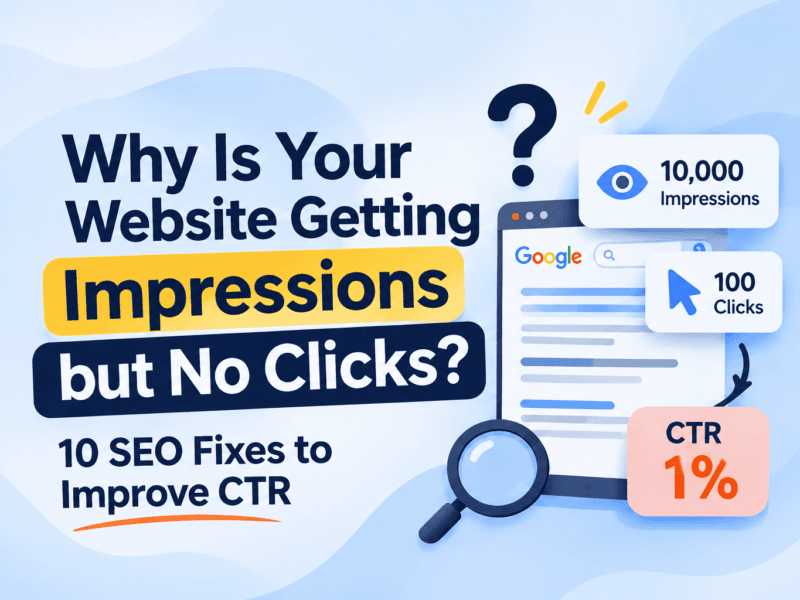
Is your website getting impressions but no clicks on Google? You’re not alone. Many websites appear in search results but struggle to attract visitors. This could happen due to low rankings, unattractive meta titles, irrelevant search intent, or poorly optimized search snippets.
In this blog, we’ll explore why your website is getting impressions but no clicks and share 10 practical SEO fixes to improve your organic click-through rate (CTR) and attract more relevant visitors.
This is where Click-Through Rate (CTR) becomes important.
In this blog, we’ll explore why your website is getting impressions but no clicks, how to identify the problem using Google Search Console, and what you can do to improve your organic traffic.
What Does It Mean When Your Website Gets Impressions but No Clicks?
In Google Search Console, an impression generally means your website’s search result was shown to a user.
A click means someone clicked your website’s result and visited your page through Google Search.
For example, suppose your website receives:
- Impressions: 10,000
- Clicks: 100
- Average CTR: 1%
This means your website appeared in search results frequently, but only a small percentage of impressions resulted in clicks.
A low CTR isn’t automatically a problem. It depends on your keyword, ranking position, search intent, device, and the type of search result.
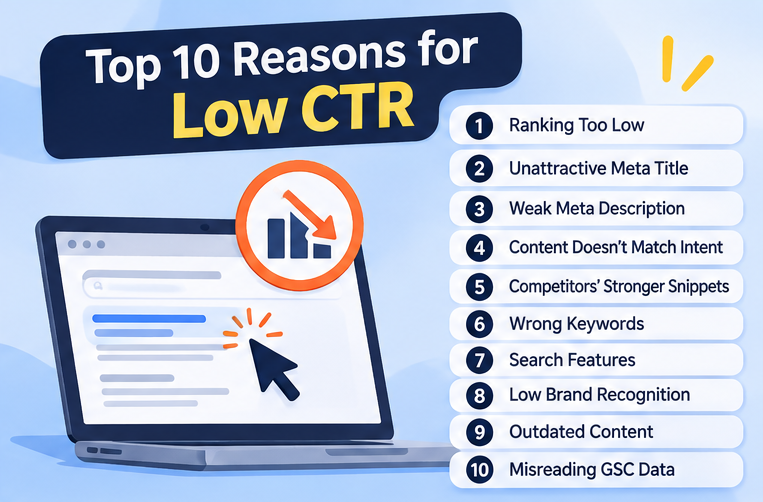
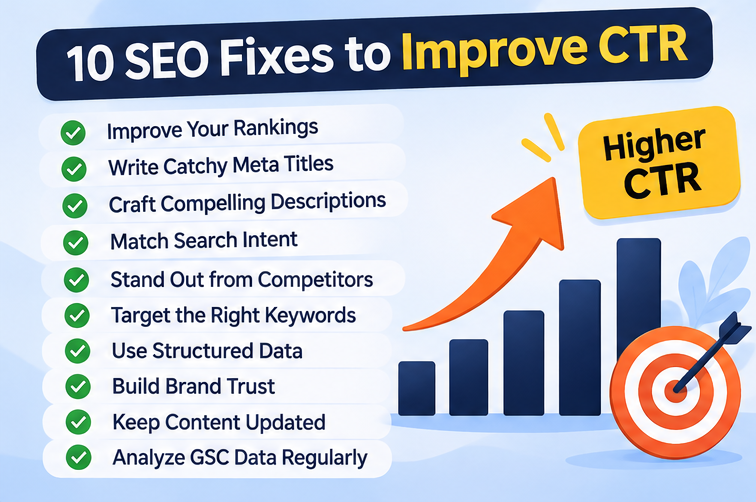
10 Reasons Why Your Website Is Getting Impressions but No Clicks
1. Your Website Is Ranking Too Low
One of the most common reasons for low clicks is your website’s ranking position.
If your page appears on the second or third page of Google, users may never reach your result.
How to fix it:
- Improve your content quality and relevance.
- Build helpful internal links from related pages.
- Target relevant long-tail keywords.
- Strengthen your website’s topical authority.
- Update outdated content with useful information.
Focus on improving rankings for relevant keywords rather than chasing impressions alone.
2. Your Meta Title Isn’t Attractive Enough
Your SEO title is often one of the first things users notice in search results.
A generic or unclear title may not convince users to click, even if your page ranks well.
For example:
Weak title: SEO Services | Our Website
Improved title: SEO Services in Pune to Grow Your Organic Traffic
Your title should communicate the page’s value while accurately representing its content.
How to fix it:
- Include your primary keyword naturally.
- Make the benefit clear.
- Keep the title specific and relevant.
- Avoid unnecessary keyword stuffing.
- Make each important page’s title unique.
Google may generate a different title link based on your page content and other signals, so your written title isn’t always what users see.
3. Your Meta Description Doesn’t Encourage Clicks
Your meta description helps users understand what your page offers.
Although meta descriptions are not a direct Google ranking factor, a useful description may encourage relevant users to visit your website.
How to fix it:
Write a concise, page-specific description that:
- Explains what users will learn or gain.
- Reflects the actual content.
- Includes relevant keywords naturally.
- Gives users a reason to choose your page.
Example:
“Discover practical SEO strategies to improve website visibility, attract relevant visitors, and build sustainable organic growth with expert guidance.”
Remember, Google may choose a different snippet from your page content.
4. Your Content Doesn’t Match Search Intent
Imagine someone searches for “how to improve website speed.”
If your page mainly promotes website development services without explaining speed optimization, users may skip it.
Your content must match what people are actually looking for.
Search intent can include:
- Informational: Users want answers or guidance.
- Commercial: Users are comparing solutions.
- Transactional: Users are ready to take action.
- Navigational: Users are looking for a particular brand or website.
How to fix it:
Search your target keyword on Google and review the types of pages ranking. Understand the format, depth, and intent behind those results, then create genuinely useful content.
5. Your Competitors Have More Compelling Search Results
Even if your website ranks, competing results might offer clearer benefits, stronger brand recognition, or more relevant information.
Users often compare multiple titles and snippets before clicking.
How to fix it:
- Analyze competing page titles and snippets.
- Identify what makes their content relevant.
- Highlight your page’s genuine differentiators.
- Improve clarity and specificity.
- Build brand trust through consistent, helpful content.
Don’t copy competitors. Give users a better reason to choose your page.
6. You’re Targeting the Wrong Keywords
Some keywords generate impressions but attract users who aren’t interested in your actual offering.
For example, a digital marketing agency targeting a broad keyword such as “marketing” may receive impressions from people looking for marketing definitions, courses, careers, or tools.
These impressions may not translate into meaningful traffic.
How to fix it:
- Review the exact queries bringing impressions.
- Identify irrelevant or mismatched search intent.
- Focus on keywords connected to your services and audience.
- Create dedicated pages for specific user needs.
Relevant impressions are more valuable than impressions alone.
7. Your Search Snippet Doesn’t Stand Out
Google search results can include ads, featured snippets, AI Overviews, videos, local packs, discussions, and other search features.
Depending on the query, these features may influence how often users click traditional organic listings.
This is why even a well-ranked page can experience lower CTR.
How to fix it:
- Study the actual search results for your keywords.
- Make your content more useful and specific.
- Use structured data only when it accurately applies.
- Follow Google’s structured data guidelines.
- Explore relevant content formats such as FAQs, tutorials, and videos.
Structured data can make pages eligible for certain search appearances, but it doesn’t guarantee enhanced results or more clicks.
8. Your Brand Doesn’t Have Enough Recognition
Users may prefer familiar brands, especially when searching for services, professional advice, or expensive solutions.
If your website is relatively new or your brand has limited visibility, people may hesitate to click.
How to fix it:
- Publish valuable, original content consistently.
- Build a clear brand identity.
- Showcase genuine testimonials and case studies where appropriate.
- Maintain accurate business information.
- Earn relevant mentions and quality backlinks naturally.
Trust develops over time through consistent user experiences and credible information.
9. Your Content Is Outdated or Lacks Useful Information
Users want current, relevant, and practical answers.
If your title promises a solution but your page contains outdated statistics, generic advice, or incomplete information, it may not earn clicks or satisfy visitors.
How to fix it:
- Review important pages regularly.
- Verify statistics, examples, and references.
- Add original insights and practical steps.
- Remove unnecessary repetition.
- Update content when there are meaningful changes.
Don’t update a page simply to change its publication date. Focus on improving its usefulness.
10. You’re Misreading Your Google Search Console Data
Sometimes, the issue isn’t your title or content. It may be the way you’re analyzing performance.
Website-wide CTR can hide the actual performance of individual pages and keywords.
For example, a page ranking first for a branded query may have a high CTR, while another page ranking much lower for a competitive keyword may have a low CTR.
How to fix it:
Analyze your performance by:
- Search query
- Landing page
- Country
- Device
- Search appearance
- Date range
Compare similar queries and pages, and consider average position alongside CTR.
Avoid comparing unrelated keywords or treating one universal CTR benchmark as the standard.
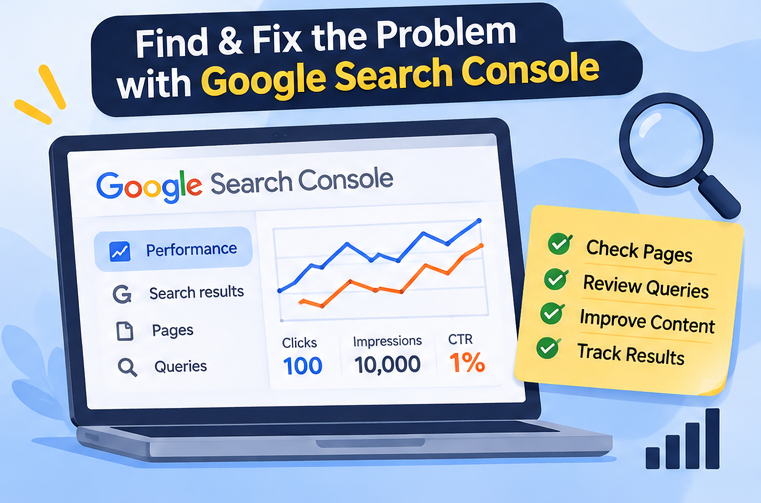
How to Find the Reason for Low CTR Using Google Search Console
Follow these steps to identify which pages need attention.
Step 1: Open Google Search Console and select your website property.
Step 2: Go to Performance → Search results.
Step 3: Enable these metrics:
- Total clicks
- Total impressions
- Average CTR
- Average position
Step 4: Open the Pages tab and identify pages receiving high impressions but relatively few clicks.
Step 5: Select an individual page and open the Queries tab to understand which searches are generating impressions.
Step 6: Review the page’s ranking position, title, snippet, content relevance, and search intent.
Step 7: Make targeted improvements and monitor performance over time.
Tip: Compare equivalent periods and account for seasonality, changes in search demand, and Google search result layouts.
How to Calculate Click-Through Rate (CTR)
The formula is:
CTR = (Total Clicks ÷ Total Impressions) × 100
For example:
If your page receives 250 clicks from 10,000 impressions:
CTR = (250 ÷ 10,000) × 100
CTR = 2.5%
Use this calculation to understand your page’s performance, but remember that CTR varies significantly across queries and ranking positions.
How Long Does It Take to Improve Organic CTR?
There is no fixed timeline.
After updating titles, descriptions, or page content, Google may take time to recrawl and reflect changes. Search demand and competitor activity can also affect results.
Monitor your performance over several weeks where practical, using comparable date ranges and enough data to identify meaningful trends.
Avoid making frequent changes based on a few impressions or clicks.
Final Thoughts
Getting impressions but no clicks is a sign that your website has search visibility, but there’s an opportunity to improve how effectively that visibility attracts the right audience.
Start by identifying the pages and queries with the biggest opportunities. Improve your title, refine your content, match search intent, and understand what users actually see on Google.
At The Vanilla Theory, we believe successful SEO is about more than rankings. It’s about connecting your website with the right audience and turning organic visibility into meaningful business opportunities.
Want to improve your website’s SEO performance?
Connect with The Vanilla Theory, your digital marketing partner for SEO strategy, website development, content marketing, and digital growth.
Frequently Asked Questions (FAQs)
1. Why is my website getting impressions but no clicks?
Your website may be ranking too low, targeting mismatched keywords, or displaying search titles and snippets that don’t appeal to your audience. Search features and user intent can also influence clicks.
2. Is a low CTR bad for SEO?
Not necessarily. A low CTR doesn’t automatically mean your rankings will drop. Evaluate CTR alongside ranking position, search intent, query relevance, and conversions.
3. How can I increase organic CTR?
Improve relevant page titles, write useful descriptions, match search intent, analyze competing results, and target the right queries.
4. Does changing the meta description improve rankings?
Meta descriptions are not a direct ranking factor. However, a relevant description may help users understand your page and encourage clicks when Google uses it.
5. Which tool can help track website impressions and clicks?
Google Search Console is one of the primary tools for tracking organic search impressions, clicks, CTR, and average position.


